AI has quickly become a normal part of work. Writing texts, summarising meetings, checking quotes, analysing data. For the user it feels like a smart button in a program. But behind that button there is traffic over your network. What does that ask of your office?
Two kinds of AI
Roughly speaking, AI works in two ways:
- AI in the cloud. Most AI tools, such as assistants in Microsoft 365 or Google Workspace and separate chat services, run in large data centres. Your laptop sends your question and your files to the data centre and gets the answer back.
- AI on the device itself. New laptops more and more often have a special chip for AI. Smaller tasks, such as removing noise from your microphone or summarising a text, can then run on the laptop itself.
For your network, that makes a difference.
AI in the cloud: upload and response time
With AI in the cloud, more traffic leaves the building than you might think:
- You upload more. A report, a spreadsheet or a meeting recording goes to the cloud first. On many connections the upload is much lower than the download. Then you wait for the sending, not for the answer.
- Response time matters. Many AI features work while you type or talk. A high or unstable latency makes them slow and jumpy.
- It is constant. AI is built into more and more everyday programs. So the traffic does not come in peaks, but all day long.
A symmetrical connection over fibre is therefore the best basis. Also read How much internet bandwidth does an office need? for a worked example.
AI on the laptop: the network inside the building
If AI runs on the laptop itself, less traffic goes outside. But the network inside the building becomes more important:
- Larger files. People who edit images, video or large datasets with AI share them with colleagues and put them on a server or in the cloud.
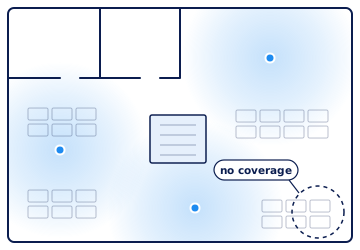
- Fast WiFi. Most people work wirelessly. WiFi 6 and WiFi 7 can serve many devices quickly at the same time, but only with enough access points in the right places.
- Cabling that can handle it. Modern access points need a connection faster than 1 Gbit/s. Read CAT6 or CAT6A: which network cable for your office?
What does this mean for WiFi 7?
WiFi 7 is the newest standard. It gets most of its speed from the 6 GHz band. In Europe the lower part of that band is already open for WiFi. The Netherlands has not yet decided about the upper part. A new WiFi 7 access point is a good choice, but do not expect the top speeds from the brochure straight away.
No internet, no AI
An office that runs on AI in the cloud largely stops during an outage. That makes a second connection more important than before. Think of a 4G or 5G backup connection or a second fixed line by another route. Read Preventing internet outages at the office.
And security?
AI tools get access to a lot of data. So pay attention to:
- Which tools may your team use? Agree which AI services are allowed for work, so company data does not end up in random free apps.
- A protected network. Make sure your company network is separate from the guest network and from the building systems. Read Cybersecurity in smart buildings: separate the networks.
Five questions for your office
- How fast is the upload of our connection, and is it symmetrical?
- Does the response time stay low when everyone works at the same time?
- Has the WiFi been measured where people actually work?
- Can the cabling to the access points handle more than 1 Gbit/s?
- What keeps working if the main connection fails?
Renting an office? Then also read Renting an AI-proof office: tips for tenants. Want to know how your current building is doing? Take the free self-scan or request a pre-inspection.